Most of us have done it. The battery sits at a few percent, the boarding pass lives on the screen, and a USB port is right there in the armrest or charging kiosk. Plugging in feels harmless, and for most travelers nothing visible ever happens.
Yet federal agencies keep telling people to think twice, and security researchers have spent years testing how far a rigged charger could go. The picture is less dramatic than the headlines suggest, but it isn’t empty either.
Why the Warnings Keep Returning
The FBI’s Denver field office put the topic in front of the public in April 2023, advising people to avoid free charging stations in airports, hotels or shopping centers[1]. The FCC echoed the message, cautioning that criminals have found ways to use public USB ports to install malware and monitoring software[2].
The alert wasn’t triggered by a specific case. FBI Denver told CBS News there was no specific incident behind it, and described it as a field office warning[3]. That context matters when you weigh how worried to be.
How a Charging Port Can Double as a Data Port

The root of the issue is simple. USB cables are designed not only to supply power but also to transfer data[4]. That’s why you can plug a phone into a laptop and copy photos across.
The attack itself has a name. Brian Krebs was the first to report on it and coined the term juice jacking[5], and the Wall of Sheep at DEF CON has run an informational juice jacking kiosk every year since 2011[5]. The idea is that a tampered port could try to pull data from your phone or push malware onto it.
What TSA Told Travelers in 2025
In March 2025, TSA posted a public service announcement on its verified Facebook account warning that hackers can install malware at USB ports[6]. Its advice was blunt: do not plug your phone directly into a USB port at an airport, and bring a TSA compliant power brick or battery pack instead[7].
The agency repeated similar guidance in a later Facebook update, again recommending a TSA compliant power bank or charging brick[8]. Fortune also noted that the agency warned against using airport Wi-Fi as well[7].
The Evidence Gap Nobody Should Ignore
Here’s the honest part. There are no publicly documented and confirmed cases of victims being compromised via a public USB charger, only warnings and research[9]. An FBI official told Snopes they hadn’t seen a rise in consumer complaints about juice jacking[10].
Even the FCC’s position is cautious. According to one report, the FCC states that although it’s technically possible, it isn’t aware of any confirmed cases[11]. So the case for avoiding these ports rests on possibility and low cost prevention, not on a wave of victims.
ChoiceJacking and the 2025 Research
For years, the safeguard was the prompt on your phone asking whether to trust a connection. In 2025, researchers at Graz University of Technology showed a way around it. Their ChoiceJacking family of attacks was the first to bypass existing juice jacking mitigations[12].
The trick is that a rigged charger can impersonate a USB keyboard or a Bluetooth input device and simulate the Allow press itself[13]. The attacks reached sensitive files on all tested devices from eight vendors, including the top six by market share[12]. The work was presented at the USENIX Security Symposium in August 2025.
Fast, Quiet, but Not Easy to Deploy
Speed is part of what made the research notable. The attack takes just 133 milliseconds, faster than the blink of an eye[14]. In testing, it enabled data transfer or code execution on eleven Android and iOS devices without user consent[6].
Still, experts urge perspective. One analyst quoted in Communications of the ACM said the attack mostly requires an unlocked device[6]. The same coverage described this form of juice jacking as still impractical[6], partly because widely deployed hardware would likely be discovered quickly.
Where Phone Software Stands Now
Vendors took the findings seriously. The researchers reported them to affected vendors, and most were patching the vulnerabilities[6]. ESET notes that iPhones running iOS 18.4 or later and Android 15 devices have strong protections built in[9].
That makes updates part of your travel prep. Security patches only protect you once they’re installed[13], so an old phone that skipped months of updates is the weaker link. A quick check before heading to the airport costs nothing.
What Airports Say They’re Doing

Airports aren’t ignoring the topic. Dallas Fort Worth told CBS News Texas that its USB ports are charge only, aren’t part of a network, and are inspected regularly for signs of tampering[15]. Dallas Love Field said it has had no reported or confirmed cases of malicious software in its USB ports[15].
The airport also said its electrical technicians inspect outlets and USB ports nightly[15]. Those are two airports speaking for themselves, though. You can’t know how every gate, lounge or café in a terminal is maintained, and that uncertainty is the point of avoiding shared ports.
Safer Ways to Keep Your Battery Alive
The simplest fix is taking the data pathway out of the equation. TSA’s tips include using your own charging block in a standard outlet, bringing a power bank, or using a USB data blocker or charge only cable[16]. A regular outlet works because juice jacking only happens through a USB charging port, not an electricity only power socket[17].
A data blocker is a small adapter that physically blocks data transfer and syncing between your device and the port[18]. Wireless pads are another route, since wireless charging doesn’t involve a USB data connection[2]. If a prompt ever appears on your screen at a public port, the safest choice is to select Don’t Trust[16].
Before You Board
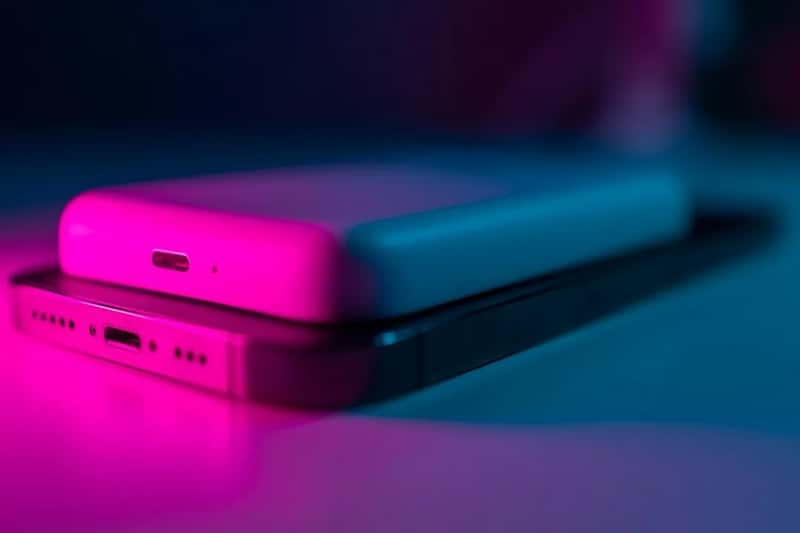
Pack a charged power bank, a wall adapter and your own cable. Update your phone before travel, and use an outlet or battery pack instead of a shared USB port.
If a public USB port is your only option, a data blocker and a locked screen reduce the exposure. Decline any trust or data transfer prompt that pops up.